How AI fits this role
Graphic Designer in the Age of AI
Role Overview
Graphic designers translate ideas, brand strategies, and communication goals into visual form. In practice, this means working across brand identity, marketing collateral, digital advertising, packaging, editorial layouts, social media assets, and increasingly, motion and interactive design. The role sits at the intersection of visual craft, strategic communication, and client management.
The highest-volume operational context for graphic designers today is in-house marketing teams and creative agencies serving consumer brands, tech companies, and media organizations. These environments run on tight deadlines, high asset volume, and constant iteration cycles. A mid-size brand might need hundreds of social variants per quarter; an agency might juggle a dozen clients with overlapping campaign timelines. This production pressure is exactly where AI is landing hardest.
Graphic designers are not a monolith. There is a meaningful split between production designers, who execute at volume and speed, and conceptual or brand designers, who shape visual strategy and identity. AI is hitting these two segments very differently.
How AI Is Transforming This Role
The transformation is not about AI replacing creativity. It is about AI absorbing the mechanical layer of design work, which historically consumed 40–60% of a production designer's time: resizing assets, removing backgrounds, generating layout variations, sourcing stock imagery, and building out template systems.
Tools like Adobe Firefly, Midjourney, and Stable Diffusion have moved from novelty to workflow infrastructure inside 18 months. Adobe's integration of Firefly directly into Photoshop and Illustrator means designers no longer leave their primary tools to generate fill imagery, extend backgrounds, or produce concept variations. The friction cost of iteration has dropped dramatically.
At the same time, platforms like Canva have absorbed a significant portion of low-complexity design work that previously flowed to junior designers or freelancers. Marketing teams now self-serve on templated assets, reducing the volume of routine requests reaching design departments.
The commercial pressure this creates is real. Agencies are being asked to deliver more creative variations at the same budget. In-house teams are being asked to do more with fewer headcount additions. The designers who are thriving are those who repositioned themselves as creative directors of AI-assisted workflows rather than executors of individual assets.
Tasks AI Can Automate
- Background removal and image masking — tools like Adobe's Remove Background and Photoshop's AI selection handle in seconds what previously took 15–30 minutes of careful masking work
- Asset resizing and format adaptation — generating 20 social media size variants from a single master file is now a one-click or scripted operation
- Stock image generation — Firefly and Midjourney replace a significant portion of stock library searches for campaign imagery, particularly for concepts that stock photography cannot capture
- Layout drafting — AI layout tools in Canva, Adobe Express, and emerging tools like Uizard can generate initial grid structures and composition options from a brief
- Color palette generation — tools like Khroma and Adobe Color's AI features generate brand-consistent palettes from reference inputs
- Copy-fitting and text reflow — InDesign's AI-assisted text handling and tools like Typeface reduce manual copy-fitting in editorial and packaging contexts
- Image upscaling and quality enhancement — Topaz Gigapixel and Photoshop's Super Resolution handle low-resolution asset recovery
- Mockup generation — AI tools can place designs into photorealistic product or environmental mockups without manual compositing
- Routine social media asset production — templated, brand-locked asset generation for recurring content formats
Skills Becoming More Valuable
Visual direction and creative judgment — the ability to evaluate AI output critically, identify what is generic or off-brand, and push toward something distinctive is now a core differentiator. AI generates competent; humans direct exceptional.
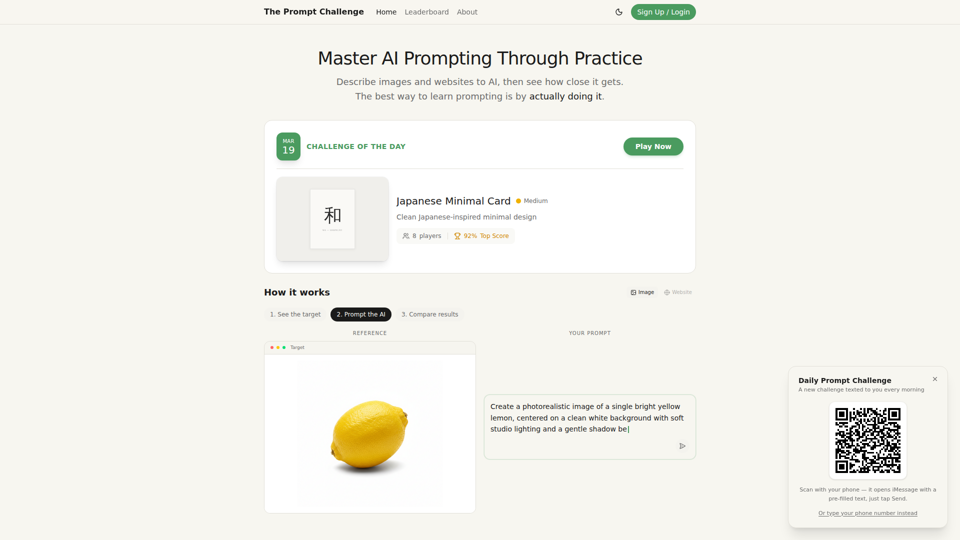
Prompt engineering for visual tools — knowing how to write precise, effective prompts for Midjourney, Firefly, or DALL-E is a genuine craft skill. Vague prompts produce mediocre output. Designers who understand how these models interpret style references, lighting descriptors, and compositional language get dramatically better results.
Brand systems thinking — building scalable design systems that can be executed consistently across AI-assisted and human-produced assets requires deep understanding of visual language, not just execution ability.
Motion and interactive design — as static assets become increasingly commoditized, motion graphics, interaction design, and animation remain harder to automate and command premium rates.
Creative strategy and client communication — translating a business problem into a visual brief, managing stakeholder expectations, and defending creative decisions are human-layer skills that AI does not touch.
Cross-functional collaboration — designers who can work fluidly with product, marketing, and engineering teams, and who understand the business context behind design decisions, are significantly more valuable than those who operate as pure executors.
AI workflow architecture — building and maintaining the prompt libraries, template systems, and AI-assisted production pipelines that a team runs on is becoming a specialized and valued skill set.
Skills Becoming Less Important
- Manual background removal and image retouching at a basic level
- Routine asset resizing and format conversion
- Stock image sourcing and curation for generic use cases
- Basic layout composition for templated formats
- Manual color matching and palette derivation from reference images
- Rote production work: building out a campaign's 47 size variants from a master file
- Basic photo editing tasks: exposure correction, color grading on standard shots
This does not mean these skills are worthless. It means they are no longer differentiating. A designer who only offers these capabilities is competing with automation, not complementing it.
Current AI Adoption in This Industry
Adoption is uneven but accelerating. As of 2024–2025, the pattern looks roughly like this:
High adoption is concentrated in digital advertising, social media content production, and e-commerce creative teams. These environments run on volume and speed, and AI tools have clear ROI. Amazon sellers, DTC brands, and performance marketing agencies are among the heaviest users of AI image generation and automated asset production.
Moderate adoption is visible in mid-size agencies and in-house teams at established brands. These organizations are integrating Firefly and AI-assisted tools into existing Adobe workflows but are moving carefully around brand consistency and legal questions about AI-generated imagery ownership.
Cautious or minimal adoption remains in brand identity work, luxury and heritage brands, editorial design, and regulated industries like pharmaceuticals and financial services. Here, the concerns are less about capability and more about brand risk, legal exposure, and the perception that AI-generated work signals a lack of craft investment.
The legal landscape around AI-generated imagery — particularly training data provenance and copyright ownership — is creating genuine hesitation among larger organizations with legal teams involved in creative approvals.
Future Workflow Evolution
The graphic designer's workflow in 2026–2027 will look structurally different from 2022. The likely shape:
Concept phase will involve AI-assisted mood boarding and rapid visual concept generation. Designers will use tools like Midjourney or Firefly to generate 20 directional concepts in the time it previously took to build 3. The human role is curation, refinement, and strategic alignment — not generation.
Production phase will be largely AI-assisted for asset multiplication, format adaptation, and routine retouching. Human attention will concentrate on the hero assets and the brand-critical decisions, with AI handling the derivative work.
Review and iteration cycles will compress. Clients will expect faster turnaround on revisions because the mechanical cost of changes has dropped. This creates pressure on creative process — the time saved in production does not automatically translate to more time for thinking; it often translates to more revision cycles.
Quality control becomes a more prominent part of the role. Reviewing AI output for brand consistency, cultural sensitivity, anatomical accuracy (a persistent weakness of image generation models), and legal clearance is real work that requires trained eyes.
Specialization will increase. Generalist production designers face the most displacement pressure. Designers who develop deep expertise in a specific domain — packaging, motion, UX, brand identity, environmental — are better positioned.
Common AI Use Cases
- Generating campaign concept imagery for client presentations before committing to photography budgets
- Producing localized ad variants for different markets by adapting copy and imagery through AI tools
- Creating product lifestyle imagery for e-commerce without full photo shoots
- Extending or modifying licensed photography to fit different aspect ratios or compositions
- Generating icon sets and illustration styles consistent with an established brand visual language
- Building out pattern libraries and texture assets for packaging and environmental design
- Rapid prototyping of logo concepts and brand mark directions in early identity exploration
- Automating the production of email template variants for A/B testing at scale
- Generating presentation deck visuals and data visualization backgrounds
Recommended AI Stack
Image generation and editing
- Adobe Firefly (Photoshop, Illustrator, Express integration) — best for brand-safe, commercially licensed generation within existing Adobe workflows
- Midjourney — strongest for conceptual and stylistically distinctive image generation; requires prompt skill
- Stable Diffusion (via ComfyUI or Automatic1111) — for teams that need local control, custom model fine-tuning, or workflow automation
Design and layout assistance
- Canva Magic Studio — for teams producing high-volume templated content
- Uizard — for rapid UI and layout prototyping
- Khroma — AI-assisted color palette development
Image enhancement and processing
- Topaz Gigapixel AI — image upscaling
- Topaz DeNoise AI — photo cleanup
- Luminar Neo — AI-assisted photo editing for marketing imagery
Workflow and automation
- Make (formerly Integromat) or Zapier — connecting AI tools into production pipelines
- Runway ML — AI video and motion graphics generation
- ElevenLabs + Runway — for motion content requiring voiceover and visual sync
Prompt and asset management
- PromptBase or internal prompt libraries — managing and versioning effective prompts
- Notion or Airtable — organizing AI-generated asset libraries with metadata
Risks & Challenges
Brand consistency degradation — AI image generation models do not inherently understand brand guidelines. Without careful prompt engineering and human review, AI-assisted production can drift from established visual identity, particularly across large asset volumes.
Legal and copyright exposure — the ownership status of AI-generated imagery remains legally unsettled in most jurisdictions. Organizations using AI-generated assets in commercial contexts carry risk, particularly if the underlying model was trained on copyrighted material. Adobe Firefly's commercially licensed training data is a direct response to this concern, but it does not eliminate it entirely.
Over-reliance on generation over craft — teams that default to AI generation for everything risk producing work that is technically competent but visually generic. The models are trained on existing visual culture; they regress toward the mean. Distinctive creative work still requires human direction.
Client expectation inflation — as clients become aware that AI can generate imagery quickly, they may undervalue the strategic and craft work that makes design effective. Managing this perception is an ongoing commercial challenge for agencies and freelancers.
Junior designer pipeline disruption — the traditional path of junior designers learning through production work is narrowing. If AI handles routine production, the apprenticeship model that developed mid-level talent breaks down. This is a medium-term talent pipeline problem for the industry.
Prompt and output quality variance — AI tools produce inconsistent results. A prompt that works well one day may produce different output after a model update. Building reliable, repeatable AI-assisted workflows requires ongoing maintenance.
Future Outlook (3–5 Years)
The graphic design role will not disappear, but it will bifurcate more sharply than it already has.
At one end: AI workflow operators who manage high-volume creative production using AI tools, templates, and automation pipelines. This role will exist, but it will command lower rates and face ongoing commoditization pressure. The ceiling on this work is low.
At the other end: Creative strategists and brand designers who use AI as a production accelerator while focusing their human effort on visual strategy, brand differentiation, client relationships, and the kind of culturally resonant creative judgment that models cannot replicate. This end of the market will remain strong and likely grow, as the volume of AI-generated visual noise increases the premium on work that is genuinely distinctive.
Motion design, interactive design, and spatial/environmental design will grow in relative importance as static digital assets become increasingly automated. Designers who invest in these adjacent skills now are positioning well.
The freelance market will compress at the commodity end. Clients who previously hired freelancers for banner ad resizing or social template production will increasingly self-serve with AI tools. Freelancers who survive will be those offering strategic value, specialized craft, or deep domain expertise.
Agency models will shift toward creative direction and strategy, with AI handling more of the execution layer. Agencies that resist this shift and continue pricing on execution hours will face margin pressure from clients who understand what AI can now do.
Final Insight
The graphic designers most at risk are not those who lack technical skill — they are those who defined their professional value entirely through execution speed and technical proficiency in tools that AI now handles competently. The designers who are building durable careers are treating AI as a production layer they direct, not a competitor they resist.
The core of what makes design valuable — understanding what a brand needs to communicate, knowing why a visual choice works or fails, building trust with clients, and making the thousand small judgment calls that separate effective design from technically correct design — remains stubbornly human. AI does not know that a particular shade of blue reads as clinical in one cultural context and trustworthy in another. It does not know that a client's CEO has strong opinions about serif fonts. It does not know when a concept is technically on-brief but strategically wrong.
The designers who internalize this distinction, and who invest in the skills that sit above the execution layer, are not threatened by AI. They are, in a real sense, made more valuable by it — because the noise floor of mediocre AI-generated design makes genuinely strategic, craft-driven work easier to distinguish.