AI Render for Architects | Photorealistic 3D Rendering | ArchRender
Rate this Tool
Average Score
Total Votes
Select your score (1-10):
Detail Information
What
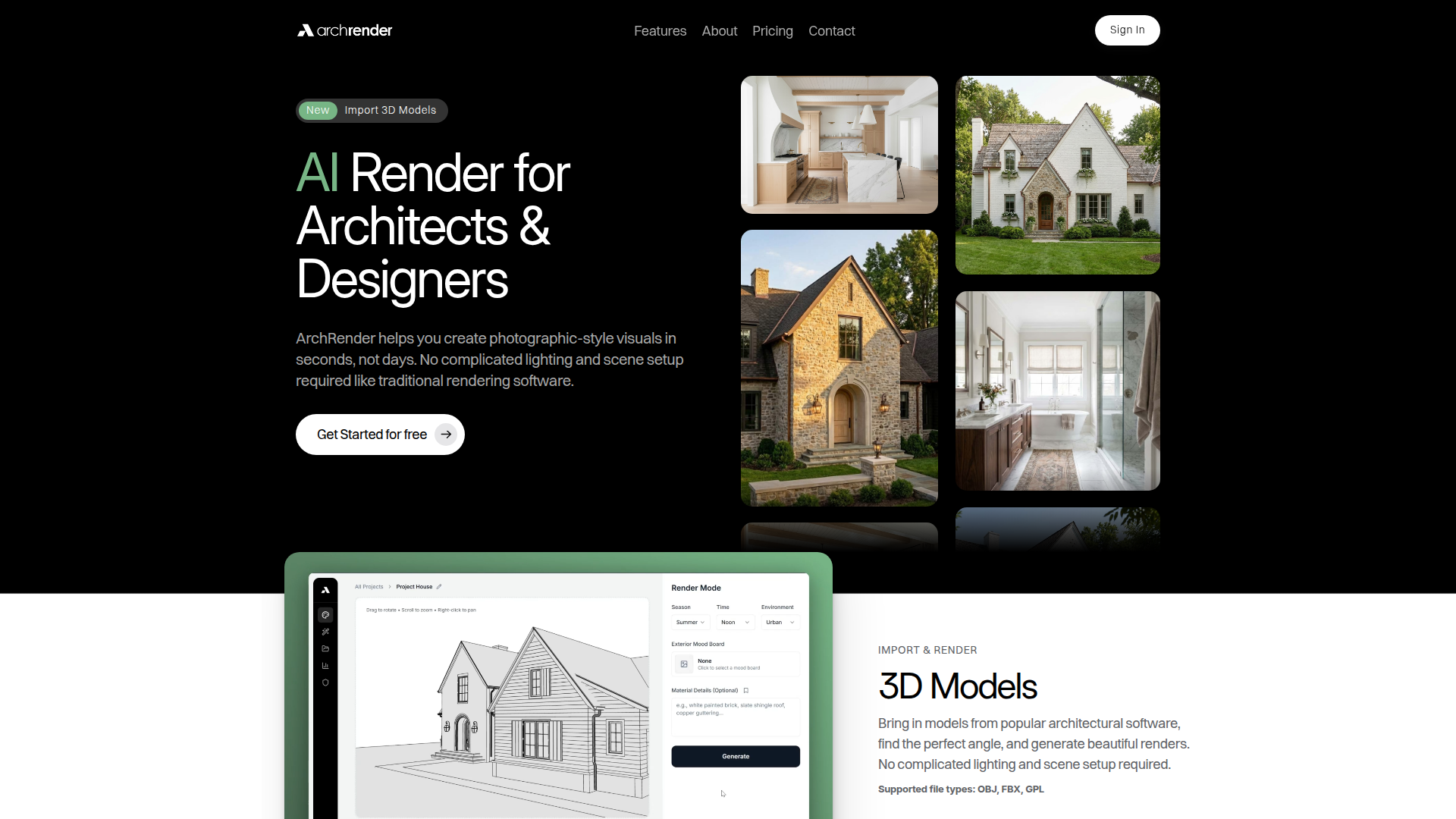
ArchRender is an AI rendering tool for architects and designers that turns 3D models, drawings, and reference images into photorealistic-style architectural visuals. It is designed to reduce the setup work typically associated with traditional rendering software, especially lighting, scene building, and repeated visual iteration.
The product appears positioned as a fast, accessible rendering workflow for design professionals who need presentation-ready exterior and interior imagery without specialized rendering expertise. Its core workflow centers on importing a model, setting style and visual direction through prompts or mood boards, generating multiple versions, and refining outputs inside project-based workspaces.
Features
- 3D model import: Supports OBJ, FBX, and GPL files so teams can bring in models from architectural software and start rendering from existing design assets.
- Scene and context controls: Season, time of day, and environment settings help users show how a design looks under different lighting and contextual conditions.
- Camera and composition controls: View angle, field of view, and aspect ratio controls make it easier to frame export-ready scenes before rendering.
- Mood board-guided styling: Users can upload an interior or exterior inspiration board and have the AI translate its colors, finishes, and style into the generated image.
- Prompt-driven rendering: Natural-language prompts let users guide materials, mood, lighting, and overall visual style without complex manual setup.
- Project-based iteration and 4K upscaling: Renders and source files stay organized within projects, while edit mode, saved prompts, versioning, and 4K upscaling support repeated refinement and presentation use.
Helpful Tips
- Validate output against the design model: AI-generated renders can accelerate communication, but architectural teams should still check materials, proportions, and contextual details before client or stakeholder use.
- Standardize prompt and mood board conventions: Creating repeatable visual direction for styles, materials, and camera framing can improve consistency across projects and team members.
- Use iteration intentionally: Version-friendly workflows are most useful when teams compare a small set of clear alternatives rather than generating many loosely defined options.
- Assess file compatibility early: Since the page lists supported file types, buyers should confirm how their current modeling workflow exports into those formats before rollout.
- Match plan structure to project volume: Credit limits, project caps, and storage allowances suggest that usage forecasting is important for firms with multiple active presentations or production cycles.
Embed Code
Share this AI tool on your website or blog by copying and pasting the code below. The embedded widget will automatically update with the latest information.
<iframe src="https://aimyflow.com/ai/archrender-ai/embed" width="100%" height="400" frameborder="0"></iframe>