Visual Field Test - Detect Blind Spots Online
Rate this Tool
Average Score
Total Votes
Select your score (1-10):
Detail Information
What
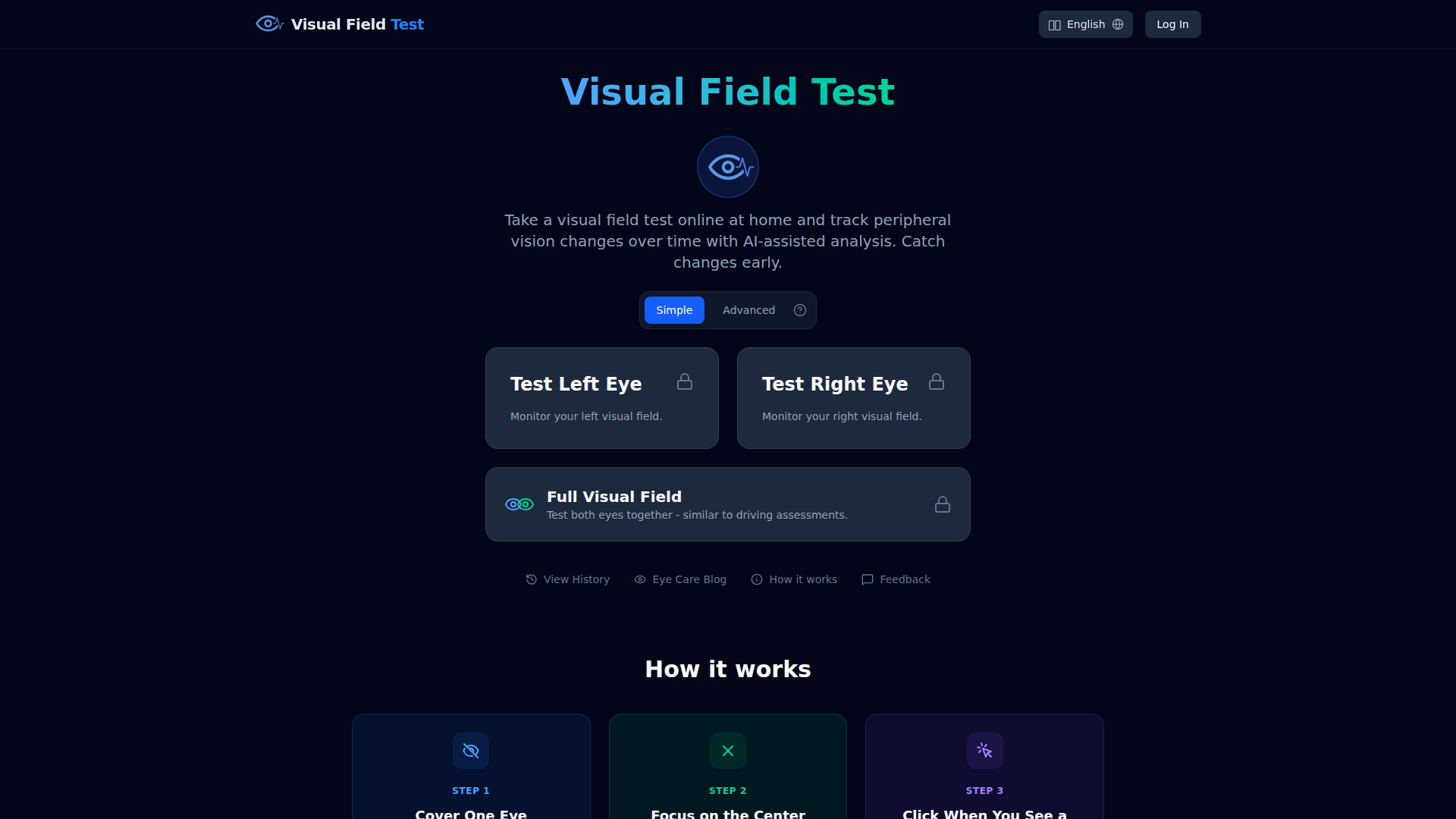
Visual Field Test is a browser-based tool for at-home peripheral vision screening and longitudinal monitoring. It lets people test the left eye, right eye, or both eyes together, then review saved results over time with AI-assisted analysis intended to highlight patterns and possible changes.
The product appears positioned as an educational screening and self-monitoring aid for individuals concerned about glaucoma or other vision-related changes, rather than as a clinical diagnostic system. Its workflow is straightforward: cover one eye, keep focus on a central fixation point, and respond when light flashes appear in different parts of the screen.
Features
- Simple and Advanced test modes — Simple mode offers a quick check without calibration, while Advanced mode uses screen calibration and threshold testing to estimate sensitivity at each point.
- Left eye, right eye, and full-field testing — Users can assess each eye individually or test both eyes together for a broader functional view similar to driving-style assessments.
- AI-assisted result analysis — Test outputs are analyzed to identify patterns and flag potential areas of concern, helping users interpret peripheral vision changes.
- History and trend tracking — Saved results can be compared side by side to monitor visual field changes over time and support conversations with an eye care professional.
- Reliability and retest logic — The tool checks reliability through false-click monitoring and rechecks missed points to improve screening consistency.
- Multilingual access — The interface, instructions, and AI analysis are available in 30 languages, which supports broader accessibility for global users.
Helpful Tips
- Treat this kind of tool as a screening and monitoring aid, not a replacement for professional eye exams; the page explicitly says it is educational use only and not a medical device.
- For repeat testing, keep conditions consistent — same screen, viewing distance, lighting, and test mode — so trend comparisons are more meaningful.
- If detailed monitoring matters, use the Advanced mode when possible, since the page indicates it measures sensitivity point by point after calibration.
- Encourage users to share longitudinal results with an eye care professional, because trend data is often more useful than a single at-home test.
- Be cautious about over-interpreting alerts or changes; the page suggests the tool can help detect patterns associated with eye or neurological concerns, but it does not claim to diagnose them.
Embed Code
Share this AI tool on your website or blog by copying and pasting the code below. The embedded widget will automatically update with the latest information.
<iframe src="https://aimyflow.com/ai/visualfieldtest-com/embed" width="100%" height="400" frameborder="0"></iframe>